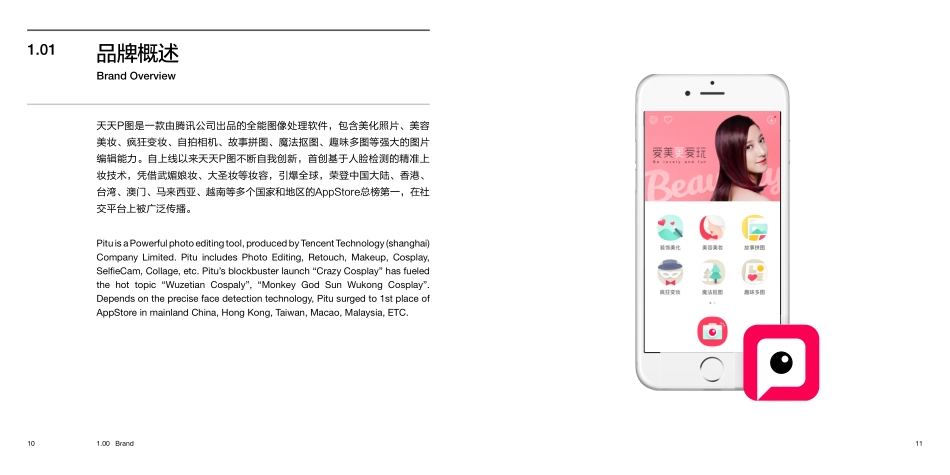
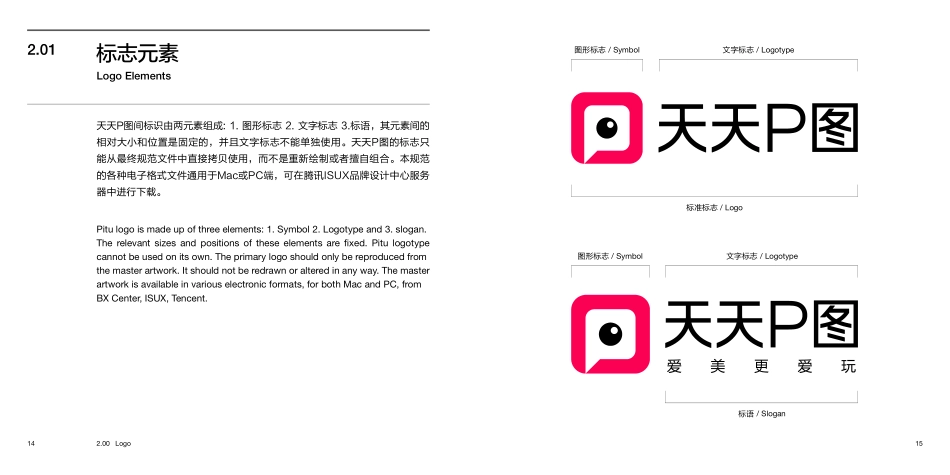
Created by ISUX Brand Center2016. 08PituBrand Book天天P图品牌书This guideline contains basic principles and examples that are needed to maintain the consistency of Pitu’s brand identity, from the primary logo, color, graphic device, imagery through to the typographic style. It shows you what these key elements are and how to apply them correctly and consistently throughout the various applications. It is essential that the key elements should be applied correctly and consistently. However, there is enough flexibility to always produce fresh, creative and differentiated communication pieces. It is not essential to use every element on every item of communication, but to deliver a strong brand message without compromising the brand identity. 本规范手册包含的品牌基本原则和使用案例,通过基本标志、品牌色、图形设计以及图像排版风格,以保持“天天P图”的品牌视觉识别统一性。本手册将呈现品牌所有的关键视觉元素以及系统地告诉大家如何在各个应用和物料上正确和统一地使用它们。我们应做到保持正确和一致地应用所有品牌关键视觉元素。然而,在遵循品牌统一性以及不违背品牌视觉识别的基础上,学习灵活运用其中的基本规则,从而衍生出更具创新、新颖、个性以及多维度特点的表达形式,传达出强大有力的品牌信息。Welcome欢迎5.004.00ApplicationsTypography品牌应用系统品牌专用字体52 - 535.01名片 Business Card46 - 474.01中文 Chinese54 - 555.02 办公应用 Stationery48 - 494.02英文 English 58 - 595.04杂志 Advertisement64 - 655.07衬衫 T-shirt56 - 575.03品牌产品 Brand Products60 - 615.05徽章 Badge66 - 675.08应用程序图标/启动闪屏 App Icon / Splash62 - 635.06包袋 Bag2.001.00LogoBrand标志品牌14 - 152.01标志元素 Logo Elements10 - 111.01品牌概述 Brand Overview22 - 232.05垂直标语标志 Vertical Logo with slogan16 - 172.02标准标志 Basic Logo24 - 252.06图形标志 Symbol18 - 192.03标语标志 Vertical Logo with slogan3.00Color品牌色38 - 393.01品牌标准色 Brand Color40 - 413.02颜色比例 Color Proportion42 - 433.03背景颜色 Background Color26 - 2732 - 332.072.09安全区域 Clear Space版式位置 Logo Placement20 - 212.04垂直标志 Vertical Logo30 - 3134 - 352.082.10最小尺寸 Minimum Size使用与限制 RestrictionsContents目录1.00 Brand品牌101.00 Brand111.01天天P图是一款由腾讯公司出品的全能图像处理软件,包含美化照片、美容美妆、疯狂变妆、自拍相机、故事拼图、魔法抠图、趣味多图等强大的图片编辑能力。自上线以来天天P图不断自我创新,首创基于人脸检测的精准上妆技术,凭借武媚娘妆、大圣妆等妆容,引爆全球,荣登中国大陆、香港、台湾、澳门、马来西亚、越南等多个国家和地区的AppStore总榜第一,在社交平台上被广泛传播。Pitu is a Powerful photo editing tool, produced by Tencent Technology (shanghai) Company Limited. Pitu includes Photo Editing, Retouch, Makeup, Cosplay, SelfieCam, Collage, etc. Pitu’s blockbuster launch “Crazy Cosplay” has fueled the hot topic “Wuzetian Cospaly”, “Monkey God Sun Wukong Cosplay”. Depends on the precise face detection technology, Pitu surged to 1st place of AppStore in mainland China, Hong Kong, Taiwan, Macao, Malaysia, ETC.Brand Overview品牌概述2.00 Logo标志142.00 Logo15图形标志 / Symbol图形标志 / Symbol文字标志 / Logotype文字标志 / Logotype标准标志 / Logo标语...