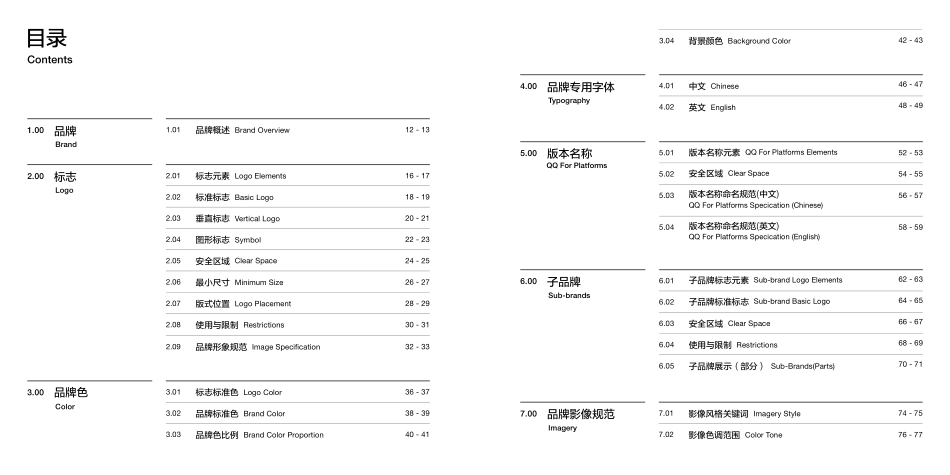
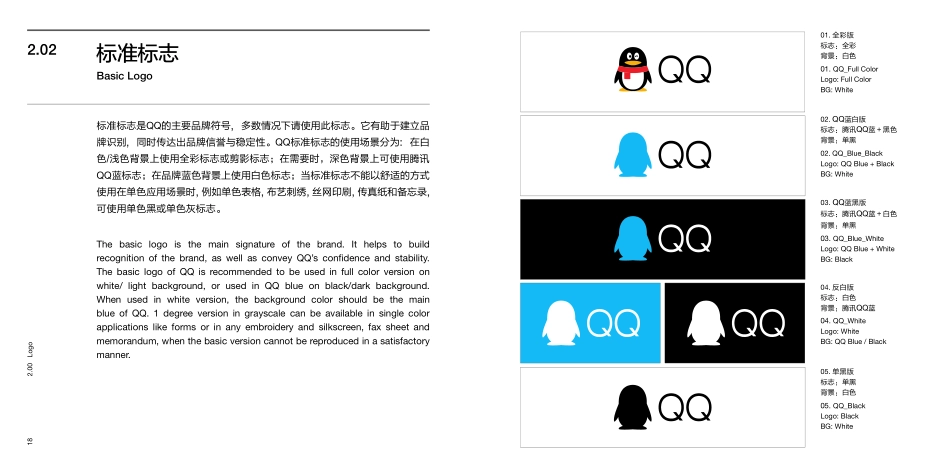
Created by ISUX Brand Center2016. 08QQ Brand BookQQ品牌书This guideline contains basic principles and examples that are needed to maintain the consistency of Tencent QQ’s brand identity, from the primary logo, color, graphic device, imagery through to the typographic style. It shows you what these key elements are and how to apply them correctly and consistently throughout the various applications. It is essential that the key elements should be applied correctly and consistently. However, there is enough flexibility to always produce fresh, creative and differentiated communication pieces. It is not essential to use every element on every item of communication, but to deliver a strong brand message without compromising the brand identity. 本规范手册包含的品牌基本原则和使用案例,通过基本标志、品牌色、图形设计以及图像排版风格,以保持“腾讯QQ”的品牌视觉识别统一性。本手册将呈现品牌所有的关键视觉元素以及系统地告诉大家如何在各个应用和物料上正确和统一地使用它们。我们应做到保持正确和一致地应用所有品牌关键视觉元素。然而,在遵循品牌统一性以及不违背品牌视觉识别的基础上,学习灵活运用其中的基本规则,从而衍生出更具创新、新颖、个性以及多维度特点的表达形式,传达出强大有力的品牌信息。Welcome欢迎4.005.00TypographyQQ For Platforms品牌专用字体版本名称54 - 5542 - 434.01中文 Chinese5.01版本名称元素 QQ For Platforms Elements46 - 474.02英文 English52 - 535.02安全区域 Clear Space48 - 492.001.00LogoBrand标志品牌16 - 172.01标志元素 Logo Elements12 - 131.01品牌概述 Brand Overview24 - 252.05安全区域 Clear Space18 - 192.02标准标志 Basic Logo26 - 272.06最小尺寸 Minimum Size20 - 212.03垂直标志 Vertical Logo28 - 292.07版式位置 Logo Placement22 - 232.04图形标志 Symbol30 - 312.08使用与限制 RestrictionsContents目录3.00Color品牌色36 - 373.01标志标准色 Logo Color38 - 393.02品牌标准色 Brand Color40 - 413.033.04品牌色比例 Brand Color Proportion背景颜色 Background Color32 - 332.09品牌形象规范 Image Specification56 - 575.03版本名称命名规范(中文) 6.00Sub-brands子品牌58 - 596.01子品牌标志元素 Sub-brand Logo Elements68 - 696.05子品牌展示(部分) Sub-Brands(Parts)62 - 636.02 子品牌标准标志 Sub-brand Basic Logo5.04版本名称命名规范(英文) 70 - 7164 - 656.03安全区域 Clear Space66 - 676.04使用与限制 RestrictionsQQ For Platforms Specication (English) QQ For Platforms Specication (Chinese) 7.00Imagery品牌影像规范74 - 757.01影像风格关键词 Imagery Style76 - 777.02影像色调范围 Color Tone8.009.00ApplicationContact品牌应用规范联系我们90 - 91104 - 1058.01应用程序图标/启动闪屏 App Icon / Splash82 - 8398 - 997.058.05影像内容要求 Dress Code衬衫 T-shirt92 - 938.02名片 Namecard84 - 85100 - 1017.068.06影像场景 Location包袋 Bag78 - 7994 - 957.038.03影像光线 Lighting办公应用 Stationery86 - 87102 - 1037.078.07影像规范与限制 Restrictions品牌产品 Brand Produts80 - 8196 - 977.048.04人物影像状态 Posture徽章 Badge1.00 Brand品牌121.00 Brand1.01Tencent QQ(QQ for short) is a leading IM software created by Tencent corporation. QQ has covered multiple mainstream platforms, such as Microsoft Windows, OS X, Android, iOS, Windows Phone, serving mor...