
电脑桌面
添加运营动脉到电脑桌面
安装后可以在桌面快捷访问

捷豹风格指南 2012会员免费

捷豹风格指南 2012_第1页
1/8
捷豹风格指南 2012_第2页
2/8
捷豹风格指南 2012_第3页
3/8
捷豹风格指南 2012_第4页
4/8
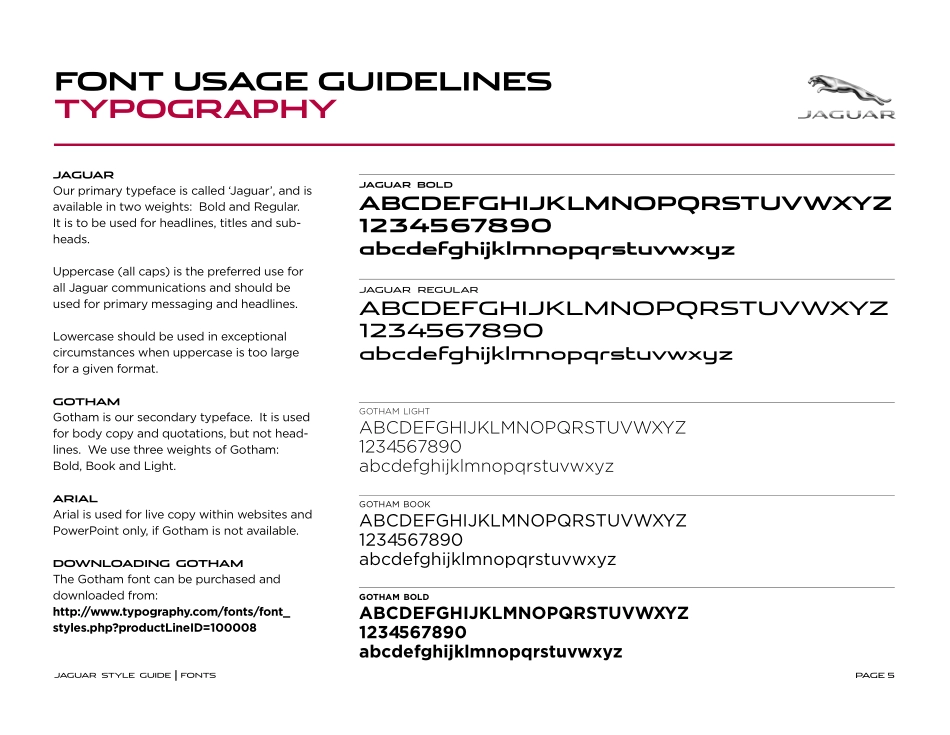
捷豹风格指南 2012_第5页
5/8
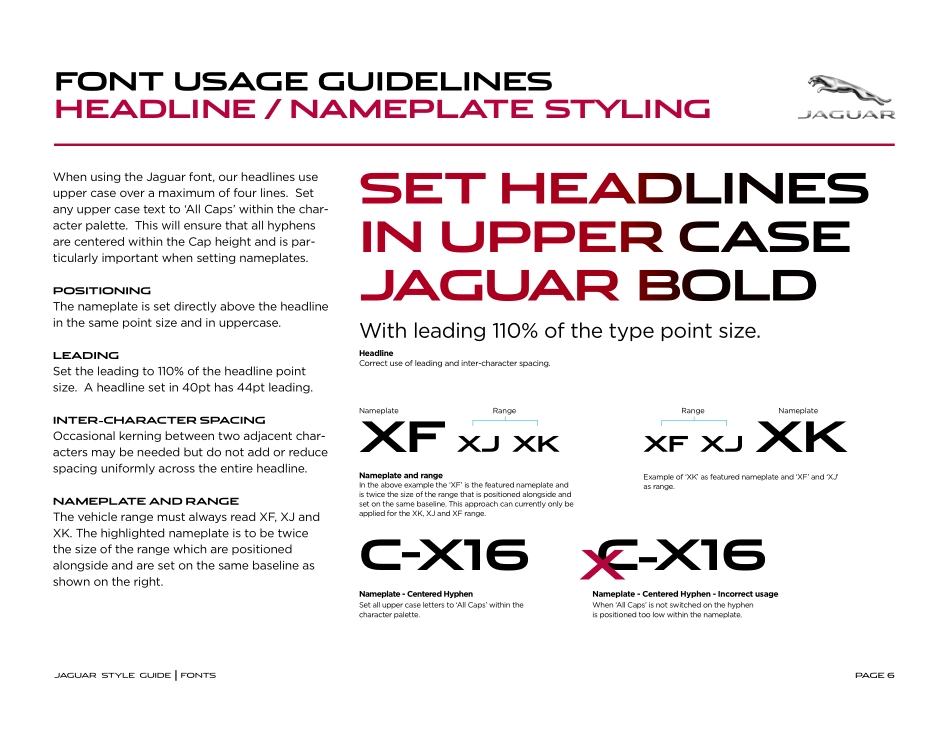
捷豹风格指南 2012_第6页
6/8
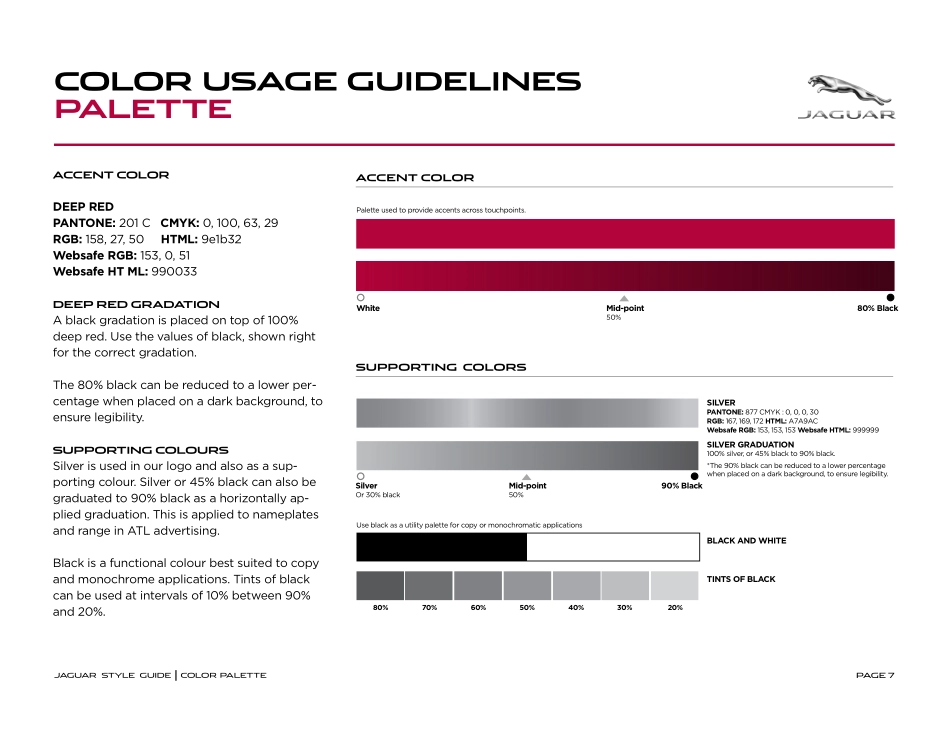
捷豹风格指南 2012_第7页
7/8
捷豹风格指南 2012_第8页
8/8
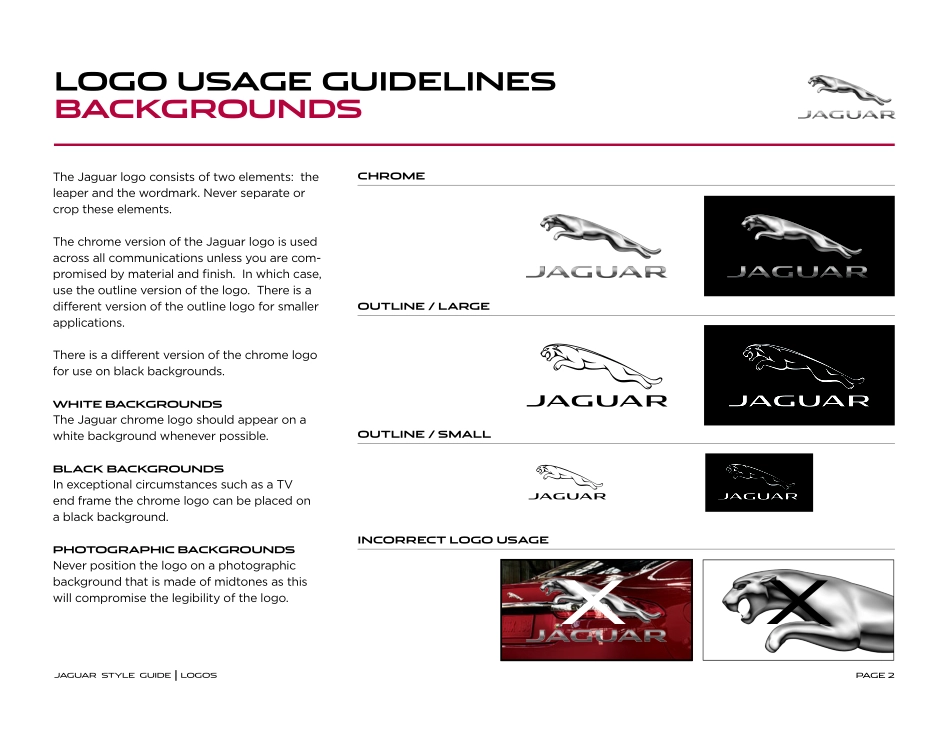
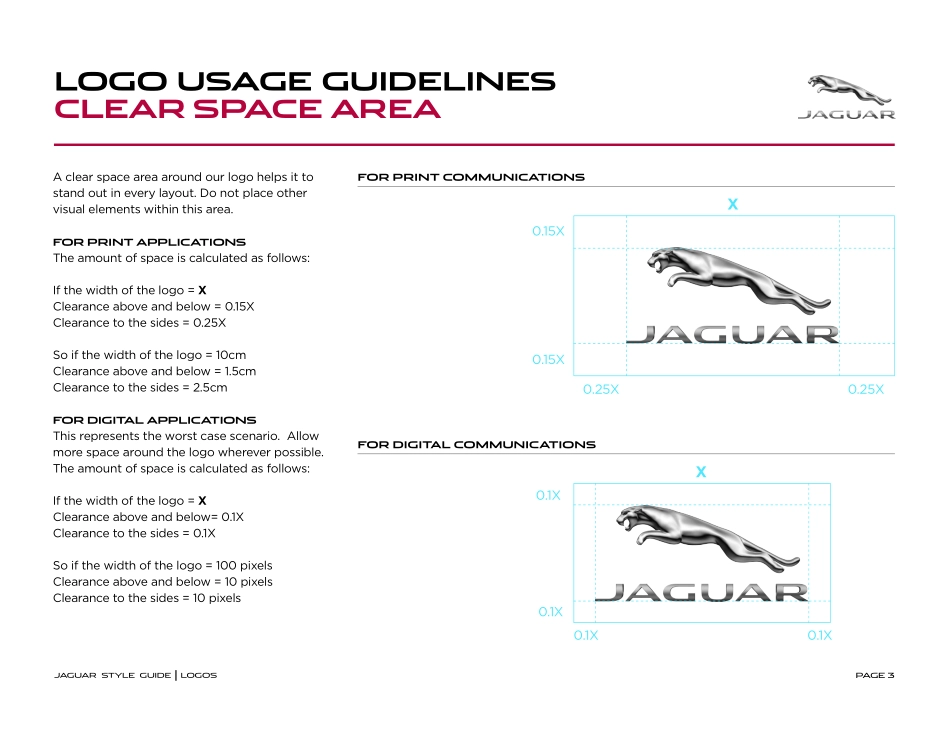
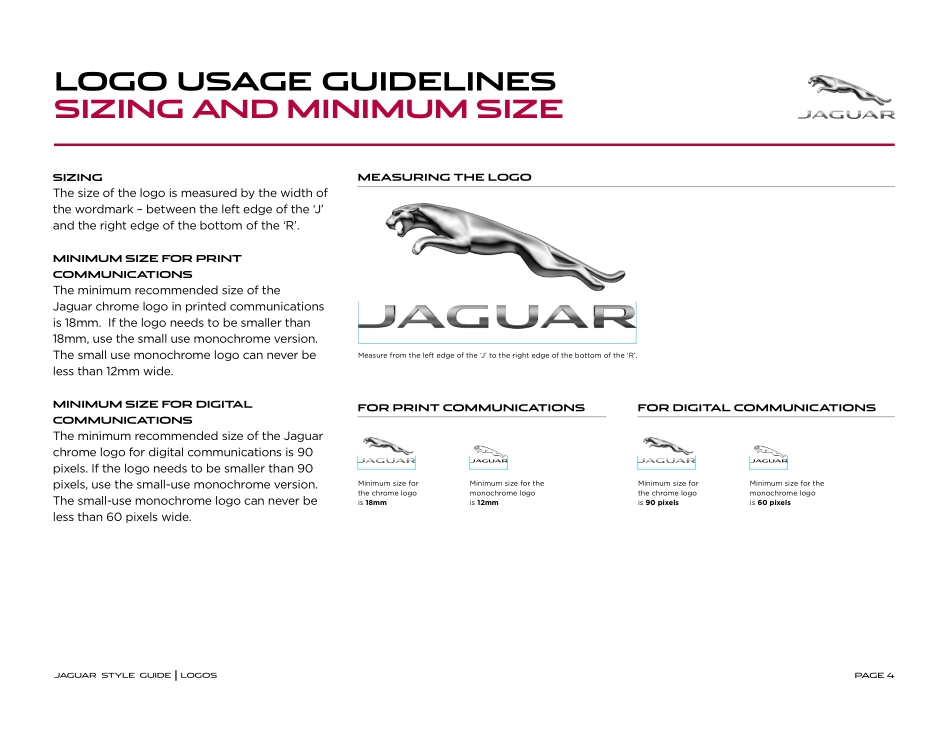
PAGE 1JAGUAR STYLE GUIDE2012 INTRO TO NEW LOGOS AND FONTSPAGE 2The Jaguar logo consists of two elements: the leaper and the wordmark. Never separate or crop these elements.The chrome version of the Jaguar logo is used across all communications unless you are com-promised by material and finish. In which case, use the outline version of the logo. There is a diferent version of the outline logo for smaller applications.There is a diferent version of the chrome logofor use on black backgrounds. WHITE BACKGROUNDSThe Jaguar chrome logo should appear on awhite background whenever possible. BLACK BACKGROUNDSIn exceptional circumstances such as a TVend frame the chrome logo can be placed ona black background.PHOTOGRAPHIC BACKGROUNDSNever position the logo on a photographicbackground that is made of midtones as thiswill compromise the legibility of the logo.LOGO USAGE GUIDELINESBACKGROUNDSJAGUAR STYLE GUIDE | LOGOSXXCHROMEOUTLINE / LARGEOUTLINE / SMALLINCORRECT LOGO USAGEPAGE 3A clear space area around our logo helps it to stand out in every layout. Do not place other visual elements within this area.FOR PRINT APPLICATIONSThe amount of space is calculated as follows: If the width of the logo = XClearance above and below = 0.15XClearance to the sides = 0.25XSo if the width of the logo = 10cmClearance above and below = 1.5cmClearance to the sides = 2.5cmFOR DIGITAL APPLICATIONSThis represents the worst case scenario. Allow more space around the logo wherever possible.The amount of space is calculated as follows: If the width of the logo = XClearance above and below= 0.1XClearance to the sides = 0.1XSo if the width of the logo = 100 pixelsClearance above and below = 10 pixelsClearance to the sides = 10 pixelsLOGO USAGE GUIDELINESCLEAR SPACE AREAJAGUAR STYLE GUIDE | LOGOSFOR PRINT COMMUNICATIONSFOR DIGITAL COMMUNICATIONS0.15X0.15X0.25X0.25XX0.1X0.1X0.1X0.1XXPAGE 4SIZINGThe size of the logo is measured by the width of the wordmark – between the left edge of the ‘J’ and the right edge of the bottom of the ‘R’.MINIMUM SIZE FOR PRINTCOMMUNICATIONSThe minimum recommended size of the Jaguar chrome logo in printed communications is 18mm. If the logo needs to be smaller than 18mm, use the small use monochrome version. The small use monochrome logo can never be less than 12mm wide.MINIMUM SIZE FOR DIGITALCOMMUNICATIONSThe minimum recommended size of the Jaguar chrome logo for digital communications is 90 pixels. If the logo needs to be smaller than 90 pixels, use the small-use monochrome version. The small-use monochrome logo can never be less than 60 pixels wide.LOGO USAGE GUIDELINESSIZING AND MINIMUM SIZEJAGUAR STYLE GUIDE | LOGOSMEASURING THE LOGOFOR PRINT COMMUNICATIONSFOR DIGITAL COMMUNICATIONSMinimum size forthe chrome logois 18mmMeasure from the left edge of the ‘J’ to the right edge of the bottom of the ‘R’.Minimum size for the monochrome l...

1、当您付费下载文档后,您只拥有了使用权限,并不意味着购买了版权,文档只能用于自身使用,不得用于其他商业用途(如 [转卖]进行直接盈利或[编辑后售卖]进行间接盈利)。
2、本站所有内容均由合作方或网友上传,本站不对文档的完整性、权威性及其观点立场正确性做任何保证或承诺!文档内容仅供研究参考,付费前请自行鉴别。
3、如文档内容存在违规,或者侵犯商业秘密、侵犯著作权等,请点击“违规举报”。

查找下载文件的指引

一、电脑端

- Windows 系统:按下键盘快捷键 `Ctrl + J`,即可打开下载列表。  

- Mac 系统:按下键盘快捷键 `⌘ + J`,即可打开下载列表。  

二、手机端

1. 打开手机浏览器,点击浏览器右下角的 “≡”(或“更多”)图标。  

2. 在弹出的菜单中找到并点击 “下载内容”(或类似选项),即可查看已下载的文件。  

提示:不同浏览器界面略有差异,若未找到“下载”入口,可尝试在浏览器设置中搜索“下载”关键词。


捷豹风格指南 2012

确认删除?
签到
收藏
足迹
微信
  • 站长微信
回到顶部