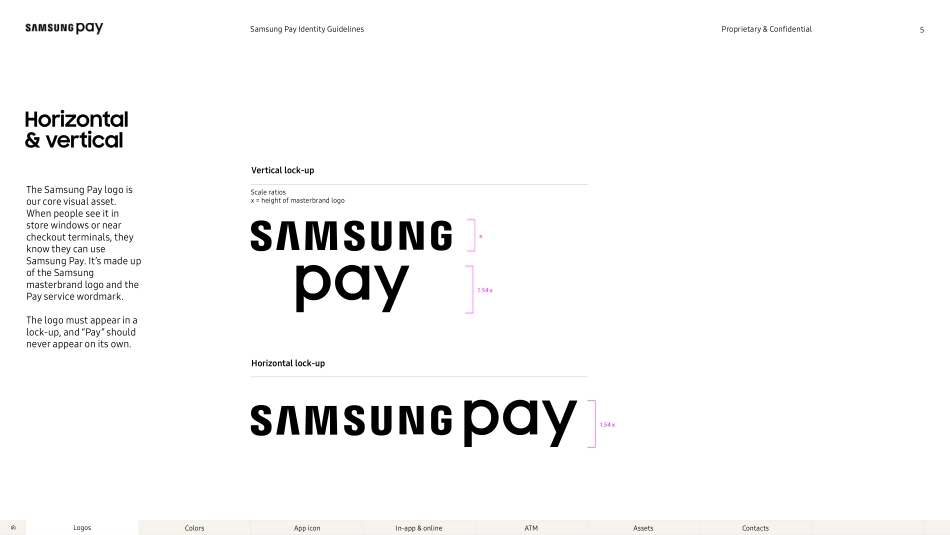
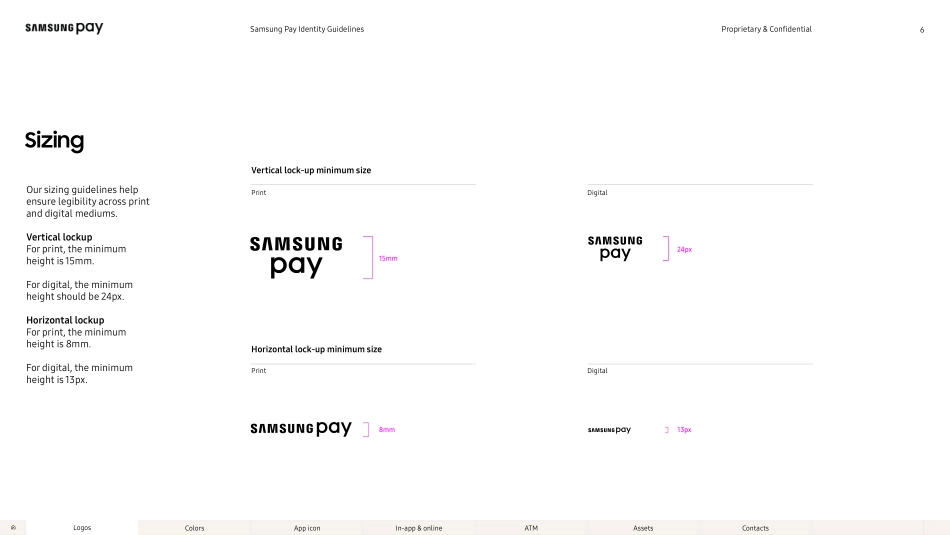
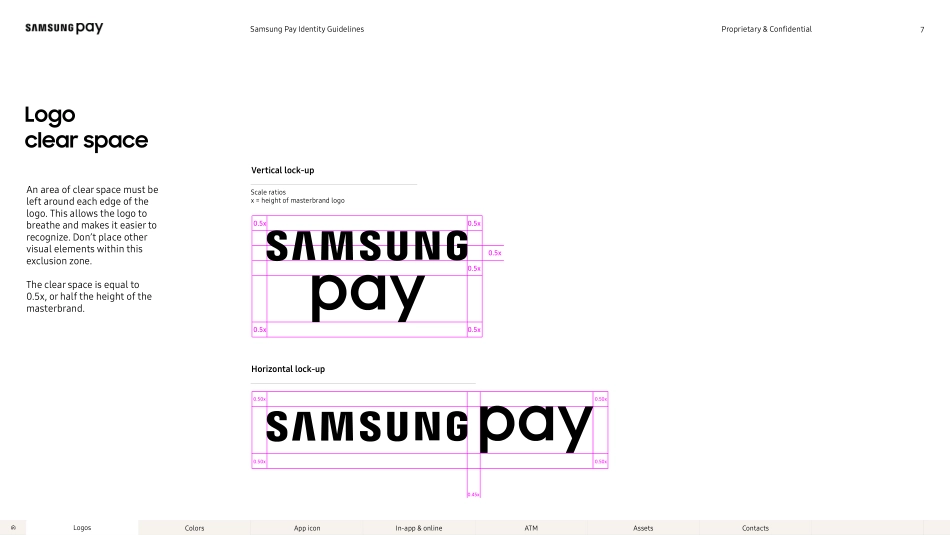
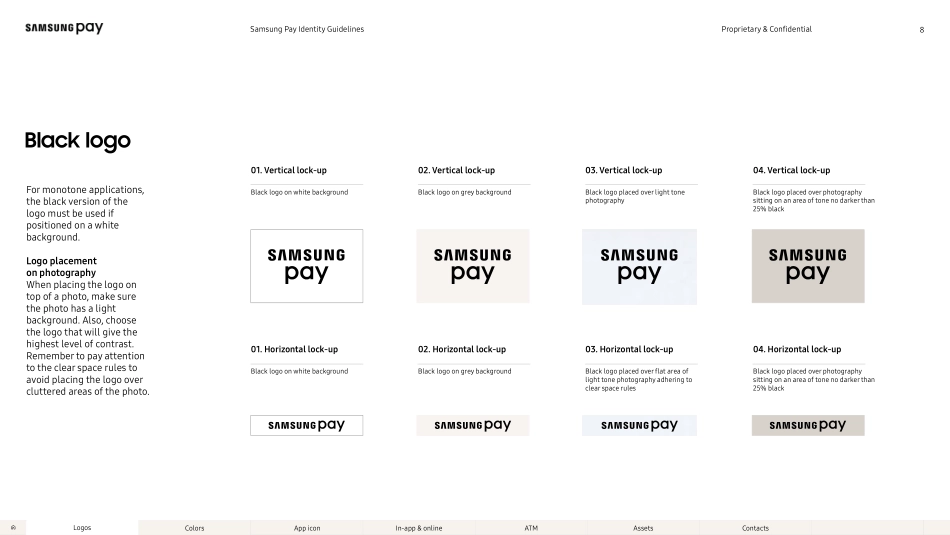
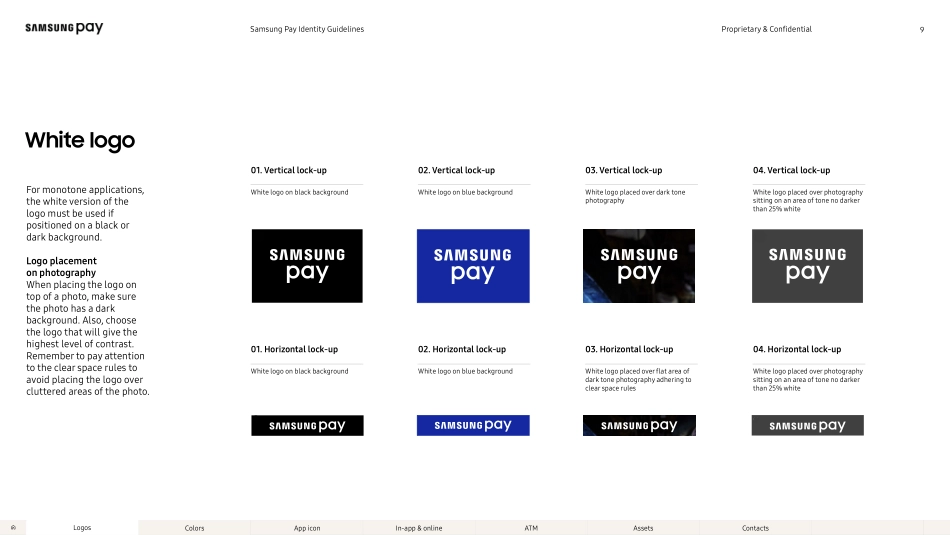
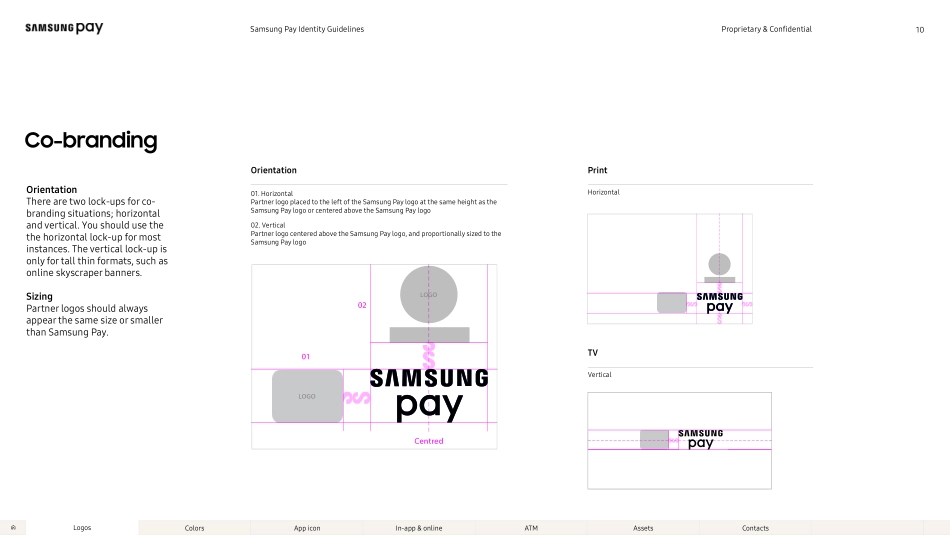
Samsung Pay Identity GuidelinesFebruary 2018Samsung Pay Identity GuidelinesProprietary & ConfidentialOverview2Samsung Pay is a mobile payment app you can use virtually everywhere you swipe or tap your credit card. This document was created to set parameters for using the elements and visuals that make up our unique brand identity. Follow these guidelines to help Samsung Pay become instantly recognizable, wherever people see it.ColorsLogosApp iconIn-app & onlineATMAssetsContactsProprietary & ConfidentialSamsung Pay Identity GuidelinesTable of contentsS02 ColorsSizing06Palette overview 15Horizontal & vertical05Logo clear space07White logo09Co-branding10Text11S01 Logos08 Black logoS03 App icon App icon18In-app & online button20S05 ATMS04 In-app & onlineWhat not to do (don’ts)12Wordmark & text combination13CTA buttons21Button sizing22ATM30S07 ContactsS06 AssetsAssets32Contact34Partner buttons24Partner button sizing25In-app & online mark26Button clear space233Other button usage27What not to do (don’ts)28ColorsLogosApp iconIn-app & onlineATMAssetsContactsProprietary & ConfidentialSamsung Pay Identity GuidelinesLogos4ColorsLogosApp iconIn-app & onlineATMAssetsContactsProprietary & ConfidentialSamsung Pay Identity GuidelinesHorizontal & verticalThe Samsung Pay logo is our core visual asset. When people see it in store windows or near checkout terminals, they know they can use Samsung Pay. It’s made up of the Samsung masterbrand logo and the Pay service wordmark. The logo must appear in a lock-up, and “Pay” should never appear on its own.Vertical lock-upHorizontal lock-upx1.54 xx1.54 x5Scale ratios x = height of masterbrand logoColorsLogosApp iconIn-app & onlineATMAssetsContactsProprietary & ConfidentialSamsung Pay Identity GuidelinesSizingOur sizing guidelines help ensure legibility across print and digital mediums. Vertical lockup For print, the minimum height is 15mm. For digital, the minimum height should be 24px. Horizontal lockup For print, the minimum height is 8mm. For digital, the minimum height is 13px. Vertical lock-up minimum size PrintDigitalHorizontal lock-up minimum size PrintDigital15mm24px8mm13px24px15mm8mm6ColorsLogosApp iconIn-app & onlineATMAssetsContactsProprietary & ConfidentialSamsung Pay Identity GuidelinesLogo clear spaceAn area of clear space must be left around each edge of the logo. This allows the logo to breathe and makes it easier to recognize. Don’t place other visual elements within this exclusion zone. The clear space is equal to 0.5x, or half the height of the masterbrand. Vertical lock-upHorizontal lock-up0.5x0.5x0.5x0.5x0.5x0.5x0.45x0.50x0.50x0.50x0.50x7Scale ratios x = height of masterbrand logoColorsLogosApp iconIn-app & onlineATMAssetsContactsProprietary & ConfidentialSamsung Pay Identity Guidelines03Black logoFor monotone applications, the black version of the logo must be used if positioned on a white background. Logo placement on photography When placing the logo on top o...